
Download XPRT – AI‑Powered Resume Builder for LinkedIn, Free & Secure
Overview
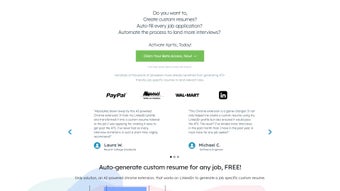
XPRT is a cutting‑edge Chrome extension that turns a LinkedIn profile into a fully customized, ATS‑friendly resume with a single click. Built on advanced AI algorithms, the tool parses the data already present on a user’s LinkedIn page—experience, education, skills, endorsements, and even recommendations—to generate a polished document that matches the exact requirements of any job posting. What sets XPRT apart is its ability to inject job‑specific keywords, reorder sections for maximum impact, and apply industry‑standard formatting that helps recruiters and automated systems quickly spot the most relevant qualifications.
Because the entire service is offered for free, job seekers of all experience levels can instantly upgrade their application strategy without worrying about subscription fees or hidden costs. Moreover, XPRT provides actionable insights about the strength of a candidate’s profile, highlighting gaps and suggesting improvements to boost overall job‑match probability. Whether you’re a recent graduate hunting for your first role, a mid‑career professional targeting a promotion, or a seasoned executive making a career pivot, XPRT streamlines the resume creation process, saves valuable time, and increases the likelihood of passing through the often‑rigorous Applicant Tracking System filters that most large companies employ today.
Key Features That Make XPRT Stand Out
- AI‑Driven Data Extraction: Automatically pulls relevant details from your LinkedIn profile, eliminating manual copy‑pasting.
- Job‑Specific Keyword Optimization: Analyzes the target job description and inserts high‑impact keywords to improve ATS compatibility.
- Customizable Templates: Offers a selection of modern, professional resume layouts that can be tailored to industry standards.
- One‑Click Export: Generates a PDF or DOCX file instantly, ready for upload to job portals.
- Skill Gap Analyzer: Highlights missing competencies compared to the job posting and suggests actionable learning resources.
- Real‑Time Preview: Shows a live preview of the resume as the AI refines content, allowing on‑the‑fly adjustments.
- Secure Cloud‑Free Operation: All processing occurs locally within the browser; no personal data is stored on external servers.
- Free Forever Model: No subscription, no hidden fees—full feature set available at zero cost.
- Multi‑Language Support: Generates resumes in English, Spanish, French, and German, expanding global job‑search reach.
- Integration with Popular Job Boards: Directly upload the created resume to LinkedIn Jobs, Indeed, and Glassdoor from within the extension.
Installation, Usage Instructions & Compatibility
Getting started with XPRT is designed to be as straightforward as possible. Follow these steps to install and begin generating tailored resumes:
- Visit the Chrome Web Store: Search for “XPRT – AI Resume Builder” and click the “Add to Chrome” button.
- Grant Permissions: The extension requests read‑only access to your LinkedIn profile page. This permission is required only to extract public information and is never stored beyond the current session.
- Open LinkedIn: Navigate to your own LinkedIn profile. You’ll notice a new “XPRT” icon in the Chrome toolbar.
- Start a New Resume: Click the icon, select “Create Resume,” and paste the URL of the job posting you’re targeting.
- AI Processing: XPRT scans both your profile and the job description, then builds a draft resume in seconds.
- Review & Edit: Use the built‑in editor to tweak sections, adjust phrasing, or add extra achievements. The real‑time preview updates instantly.
- Export: Once satisfied, click “Download” to save the resume as a PDF or DOCX file. You can also copy the content directly into an online application form.
Because XPRT is a Chrome extension, it runs on any operating system that supports the Chrome browser, including Windows 10/11, macOS Monterey and later, Linux distributions, and Chrome OS. The extension does not require a separate desktop client, making it ideal for users who work across multiple devices or prefer a lightweight, cloud‑free solution.
Supported platforms: Windows, macOS, Linux, Chrome OS (any version that runs the latest Chrome browser).
Pros, Cons & Frequently Asked Questions
Pros
- Completely free with no hidden subscription fees.
- AI‑driven keyword optimization dramatically improves ATS success rates.
- One‑click resume generation saves hours of manual formatting.
- Local processing ensures data privacy and security.
- Multiple language options expand global job search capabilities.
Cons
- Limited to Chrome; Firefox or Safari users need to switch browsers.
- Relies on an up‑to‑date LinkedIn profile; outdated information may affect output quality.
- Advanced customization beyond provided templates requires manual editing.
FAQ – Answers to Common Queries
Is XPRT really free or are there hidden costs?
XPRT is 100% free. All features—including keyword optimization, template selection, and multi‑language support—are available without any subscription or one‑time payment.
Can I use XPRT on a Mac?
Yes. As long as you have the Chrome browser installed on macOS (Mojave or later), XPRT works flawlessly.
Does XPRT store my LinkedIn data on external servers?
No. All data extraction and processing occur locally within your browser session. Once you close the tab, no personal information is retained.
How does XPRT handle ATS keyword matching?
The AI analyzes the job description you provide, extracts high‑frequency terms, and seamlessly integrates them into your resume while preserving natural language flow. This improves the match score used by most ATS platforms.
Can I edit the generated resume before exporting?
Absolutely. XPRT includes an in‑extension editor where you can rearrange sections, add custom achievements, or modify wording before downloading the final PDF or DOCX.
Overall Rating: 4.6/5 – XPRT delivers a powerful, free solution for modern job seekers looking to beat ATS filters and present a polished professional profile.
Conclusion & Call to Action
In a competitive job market, the ability to generate an ATS‑optimized resume in minutes can be the difference between landing an interview and disappearing into the digital abyss. XPRT’s AI‑driven engine, combined with a completely free model and strict privacy safeguards, makes it an indispensable tool for anyone serious about accelerating their job search. By turning the often tedious task of resume customization into a seamless, one‑click experience, XPRT empowers candidates to focus on what truly matters—preparing for interviews and showcasing their expertise.
Ready to give your LinkedIn profile a professional edge? Download XPRT today and start generating targeted, keyword‑rich resumes that pass ATS filters with confidence. Remember, the best investment you can make in your career is a well‑crafted resume, and XPRT puts that power directly in your browser—free, secure, and instantly accessible.



.png)



